By
By 
The main difference between 1440p and 4K resolutions lies in the number of pixels that make up the display. This difference affects the level of detail, image clarity, and overall visual experience. Read the article till the end to find out all the details.
What do "1440p" and "4K" refer to?
1440p” and “4K” are terms used to describe different resolutions commonly found in displays, such as monitors, televisions, and projectors. These terms refer to the number of pixels that make up the width and height of the display screen, and they provide an indication of the level of detail and clarity that the display can achieve.
What is 1440p?
- “1440p” refers to a resolution of approximately 2560 pixels in width and 1440 pixels in height.
- It is also known as Quad HD (QHD) or 2K resolution.
- The “p” in “1440p” stands for “progressive scan,” which is a method of displaying images where each frame is drawn sequentially.
What is 4k?
- “4K” refers to a resolution of approximately 3840 pixels in width and 2160 pixels in height.
- It is also known as Ultra High Definition (UHD) resolution.
- The term “4K” comes from the horizontal pixel count, which is close to 4000 pixels.
It’s important to note that while “4K” technically refers to a resolution of 4096 x 2160 pixels, the term is commonly used to describe the UHD resolution of 3840 x 2160 pixels, which has become more prevalent in consumer displays.
What are the pixel dimensions of 1440p and 4K?
The pixel dimensions of “1440p” and “4K” resolutions are as follows:
- 1440p:
- Pixel dimensions: 2560 pixels in width x 1440 pixels in height
- Aspect ratio: 16:9
- 4K:
- Pixel dimensions (UHD): 3840 pixels in width x 2160 pixels in height
- Aspect ratio: 16:9
This resolution is also commonly known as “Ultra High Definition” (UHD) or “2160p.” The term “4K” comes from the horizontal pixel count, which is approximately 4000 pixels.
How do these resolutions compare in terms of clarity and image quality?
The clarity and image quality of displays with 1440p and 4K resolutions differ primarily due to the higher pixel count and density of 4K displays. Here’s how these resolutions compare in terms of clarity and image quality:
What is 1440p image quality?
- Offers good clarity and image quality, especially on screens of moderate size.
- Text and images appear sharp and well-defined.
- Suitable for a wide range of tasks, including general productivity, web browsing, and gaming.
- Provides a noticeable improvement over lower resolutions like 1080p (Full HD).
- Less demanding on graphics hardware compared to 4K, making it more accessible to a broader range of devices.
- Generally provides a satisfying visual experience for most users.
What is 4k image quality?
- Offers exceptional clarity and image quality due to the significantly higher pixel density.
- Text, images, and fine details appear incredibly sharp and detailed.
- Best appreciated on larger screens (e.g., 27 inches and above) or when viewed at close distances.
- Especially beneficial for content that contains fine textures, intricate details, and high-resolution images.
- Enhances the immersive experience in gaming, movies, and other media due to the higher level of detail.
Photo by Hubert Neufeld on Unsplash
What devices commonly support 1440p and 4K resolutions?
Both 1440p and 4K resolutions are supported by a variety of devices, ranging from monitors and televisions to projectors and gaming consoles. Here are some common types of devices that commonly support these resolutions:
Devices that commonly support 1440p resolution
- Computer Monitors: Many computer monitors offer native 1440p resolution, catering to gamers, designers, and general users.
- Gaming Consoles: Some gaming consoles, like the Xbox One X and PlayStation 4 Pro, support 1440p resolution for gaming.
- Laptops: Certain high-end laptops come with built-in 1440p displays, enhancing the viewing experience for users.
- VR Headsets: Some virtual reality headsets provide a 1440p resolution per eye, contributing to a more immersive VR experience.
- Mobile Phones: A few flagship smartphones incorporate 1440p displays, contributing to sharper visuals for multimedia consumption.
- Media Players: Some media players and streaming devices allow you to output content at 1440p resolution to compatible monitors or TVs.
Devices that commonly support 4K resolution
- 4K TVs: Many modern televisions support 4K resolution, offering an enhanced viewing experience for movies, TV shows, and gaming.
- Monitors: High-quality computer monitors with 4K resolution are popular among professionals, gamers, and content creators.
- Gaming Consoles: Current-generation gaming consoles like the PlayStation 5 and Xbox Series X support 4K gaming and content playback.
- Streaming Devices: Various streaming devices, like Apple TV 4K and Roku Ultra, allow you to stream 4K content to compatible TVs.
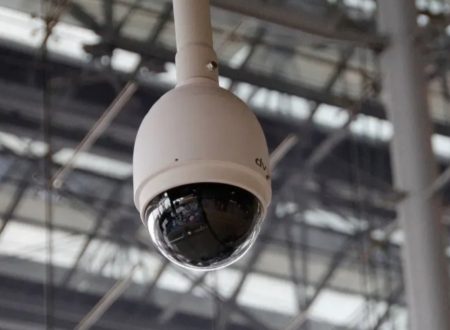
- Security Cameras and Camcorders: Many modern security cameras and camcorders can record video in 4K resolution, providing better quality for videos and photos.
- Projectors: Certain projectors are designed to project content in 4K resolution, suitable for home theater setups and presentations.
What's the cost difference between 1440p and 4K monitors?
The cost difference between 1440p and 4K monitors can vary based on factors such as brand, size, features, panel technology, and additional specifications. However, as a general guideline, 4K monitors tend to be more expensive than their 1440p counterparts due to the higher resolution and increased demand for detailed visuals. Here’s a rough overview of the cost difference:
1440p Monitors
- Entry-Level: Basic 1440p monitors can start at around $200 to $300 USD. These monitors might offer standard features without many advanced functionalities.
- Mid-Range: Mid-tier 1440p monitors with better color accuracy, higher refresh rates, and ergonomic adjustments can range from $300 to $600 USD.
- High-End: Premium 1440p monitors designed for professional graphics work or gaming, featuring features like high refresh rates, color accuracy, and adaptive sync, can range from $600 to $1000 USD or more.
4K Monitors
- Entry-Level: Basic 4K monitors can start at around $300 to $500 USD. These monitors may lack certain features or advanced color accuracy.
- Mid-Range: Mid-tier 4K monitors with better color accuracy, higher refresh rates, and additional features might range from $500 to $800 USD.
- High-End: High-end 4K monitors with advanced panel technology, color accuracy, high refresh rates, and additional features can range from $800 to $1500 USD or more.
It’s important to note that prices can change over time due to market trends, technological advancements, and other factors. Additionally, brand reputation, warranty, and customer support can also influence the price of a monitor. Keep in mind that when investing in a monitor, you should consider your intended use, desired features, and budget to make an informed decision.
Can 1440p and 4K monitors be used for security camera surveillance?
Yes, both 1440p and 4K monitors can be used effectively for security camera surveillance, depending on your specific needs and preferences. The choice between these resolutions will depend on factors such as the level of detail you require, the number of cameras being monitored, and the available budget.
1440p Monitors for Security Camera Surveillance
- 1440p monitors provide a good balance between image detail and system requirements. They offer higher resolution compared to Full HD (1080p) monitors, which can be beneficial for identifying people, objects, or license plates.
- They are suitable for monitoring a moderate number of cameras while still offering clear images and details.
- If you have a limited budget or don’t need extremely high levels of detail, 1440p monitors can provide a satisfactory surveillance experience.
4K Monitors for Security Camera Surveillance
- 4K monitors offer significantly higher image clarity and detail compared to 1440p monitors. This can be especially useful when you need to closely monitor areas or objects that require precise identification.
- They are ideal for larger surveillance setups or scenarios where the highest level of detail is crucial.
- 4K monitors are especially useful when dealing with a large number of cameras, as you can fit more camera feeds on the screen without sacrificing image quality.
- Keep in mind that 4K monitors might require more powerful graphics hardware to display multiple camera feeds simultaneously, particularly if you’re working with numerous high-resolution streams.
Ultimately, the choice between a 1440p and a 4K monitor for security camera surveillance depends on the specific requirements of your surveillance setup, the size of the area being monitored, the number of cameras, and your budget. Both resolutions can provide clear and detailed images for surveillance purposes, but 4K monitors excel in providing the highest level of image clarity and detail, making them well-suited for demanding surveillance applications.