By
By 
Cloud security cameras are a relatively new type of wireless security camera that relies on cloud storage to function and provide each feature. Unlike other security cameras, those that use the cloud typically are designed to be small and lightweight in design. In addition, whereas past security products typically required a process that integrated each camera into a system, these new cameras typically feature either bar codes or a quick configuration once wirelessly connected to the network. Manufacturers of such cameras include:
- Honeywell
- Nest
- Oculur
Not to be mistaken with hybrid cloud security cameras, these do not necessarily have one primary design but are typically featured as video doorbells or are indoor security cameras. While there are outdoor cloud security cameras, they are not naturally as effective as the traditional alternative. However, these cameras provide excellent results in modern homes, offices, or anywhere with a wireless network.
What is cloud in simple terms?
Cloud, technically known as cloud storage, is a method of off-site storage for computer and electronic data that generally use third parties or the manufacturing company. Manufacturers like Honeywell, for example, store cloud-transferred data through a third party with Honeywell using Microsoft MAXPRO. A common misconception with the cloud is that the data is magically stored on the internet, but that is not necessarily the case. Instead, cloud storage can be considered off-site storage, meaning that the data is streamed to and managed by a company.
What are the pros and cons of cloud security cameras?
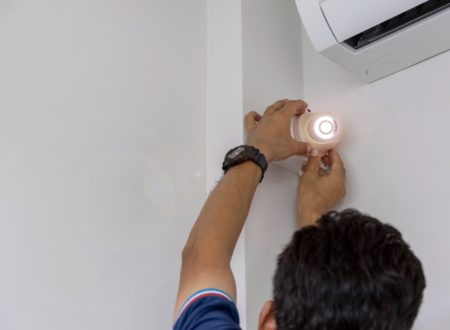
The advantages and drawbacks of cloud security cameras are very similar to those of WiFi security cameras. Such devices feature very little wiring and are typically small in design. Moreover, the maximum labor required for installation is placement with drilling in screws and plugging the transformer into the outlet. With a solid wireless network, these cameras provide an excellent avenue for when you need to quickly put in place a cloud security camera system.
However, while cloud security cameras are designed for convenience, they have similar drawbacks for you to be aware of. When anything features cloud storage, that typically means a monthly or annual fee you will have to pay for full functionality. The cost is required because the cameras by themselves do not usually have any features by themselves besides, at most streaming and alerts to motion. Furthermore, while these cameras are easy to place and small in design, they are also susceptible to being tampered with or neutralized. Furthermore, if the owner does not configure the device, they will be vulnerable to cyber-attacks that can neutralize their system.
When purchasing cloud security cameras, always configure them immediately after installation for a near guarantee of security. Furthermore, regularly checking these devices for damage or tampering will be necessary.
Pros
Remote access: One of the most significant advantages of cloud security cameras is that they allow you to monitor your property from anywhere with an internet connection. This means you can check in on your home or business when you’re away or on vacation, and receive alerts if anything suspicious happens.
Easy to set up: Cloud security cameras are generally easy to install and set up, and they often come with their own mobile app or web interface, which makes it simple to monitor your property.
Scalability: Cloud security cameras can be scaled up or down depending on your needs. You can add additional cameras as needed, or remove cameras if they are no longer necessary.
Cost-effective: In many cases, cloud security cameras are more cost-effective than traditional security systems. There is no need to purchase expensive hardware or hire a security team to monitor your property, which can save you money in the long run.
Cons
Dependence on internet connection: Cloud security cameras require a stable internet connection to function properly. If your internet connection goes down, you may lose access to your camera feed, which could be a problem in case of emergency.
Security risks: Cloud security cameras can also be vulnerable to security risks. If the cloud service provider or camera manufacturer experiences a data breach, your camera footage could be compromised. It’s essential to choose a reputable provider with strong security measures in place.
Privacy concerns: With cloud security cameras, your footage is stored on a third-party server, which can raise privacy concerns. Make sure to review the provider’s privacy policy before choosing a cloud security camera to ensure that your data is kept safe.
Subscription fees: Many cloud security cameras require a subscription fee to access all of their features, which can add up over time. Make sure to factor in these costs when choosing a camera system.
Can other security cameras use the cloud?

Many IP security cameras offer support for cloud storage, but generally with the addition of surveillance software and a monthly or yearly subscription. However, the majority of functions such a camera provides is typically through the connection to a greater recording system. Different from cloud security cameras, IP cameras feature a more traditional design that matches what is offered on the market and has multiple more features than the cloud-based alternative. For example, one such example that cannot be found with the cloud camera is the hard wiring to a network, computer, or recorder. Furthermore, these cameras typically match the past generations of cameras in function, with there being dome and bullet camera designs.
Can I store my CCTV footage on the cloud?
Yes, with third-party programs that have a connection through your local network or specifically manufactured security camera systems like LTS. Each option provides extensive support with streaming video footage and playing back already stored data. Furthermore, cloud storage is typically one of several options when presented.
Are cloud security cameras Safe?
As mentioned above, cloud security cameras are safe and secure when configured personally by the owner. Configuration typically includes pairing the device with your account, matching the user name to the camera, and creating a distinct password. In terms of functioning normally without causing harm, they are entirely safe. However, as mentioned, their design is lightweight and susceptible to tampering.
How long is security footage stored in the cloud?
Similar to how ordinary security camera recorders work, most cloud security camera systems feature two options. The first is the normal method, in which when your limit for storage is reached, the oldest data is rewritten for the newest. By contrast, the second option typically is access to a specific amount of storage that is either wiped or saved elsewhere after a certain amount of time. With both options, the owner will need to purchase more storage space if they are needing additional cloud storage.
For more information on cloud security cameras and each of the products we offer, contact A1 Security Cameras today. We have professionals standing by to answer any and all questions you may have about security cameras and related devices!