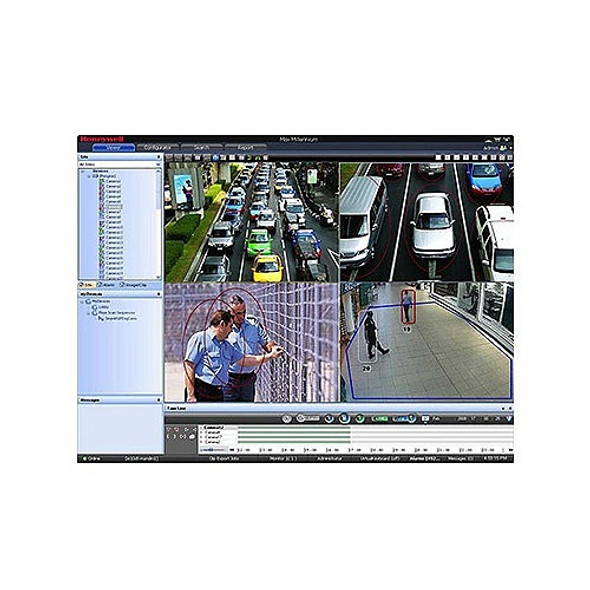
Honeywell HNM16UP MAXPRO NVR 16-Channel License Upgrade
Honeywells MAXPRO VMS (video management system) controls multiple sources of video subsystems to collect, manage and present video in a clear and concise manner. MAXPRO VMS intelligently determines the capabilities of each subsystem across various sites, allowing video management of analog or digital video devices through a unified configuration and viewer. The subsystems can be analog matrix switches or digital/network video recorders allowing both analog or digital input to be viewed on an analog or digital monitor. Users can benefit from using traditional analog systems and IP-network systems at the same time to ensure maximum use of their initial investments. These subsystems range from Honeywell matrix switchers, DVR/NVRs and 3rd party systems.
Key Features:
- Allows local or remote operations including live and recorded video monitoring, configuration and system management in a single desktop client interface.
- Support for Web Client on Windows PC (Internet Explorer, Chrome and Firefox browsers) and Mac (Safari browser). Supports live, playback/search of recorded video for up to 4K resolution on all cameras, taking snapshots and viewing presets for PTZ cameras.
- Support for mobile monitoring clients on iOS and Android Phones and Tablets with MAXPRO NVR apps: Login securely with https communication, Create favorite salvos (cameras up to 3x3 on tablets and 2x4 on phones per salvo), View Live and Recorded Video, Perform PTZ control through Presets and Monitor; Manage Alarms, Support Touch ID on iOS devices for fast and secure login.
Note: All E-license have a standard lead time of 24-72 business hours. The E-license are sent off to the manufacturer for processing and once they are generated we will receive an email with them. If the 72 business hours have passed and you have not received the e-license please call the customer service department at 214-948-1300 x 411 for assistance.




 Free Shipping